

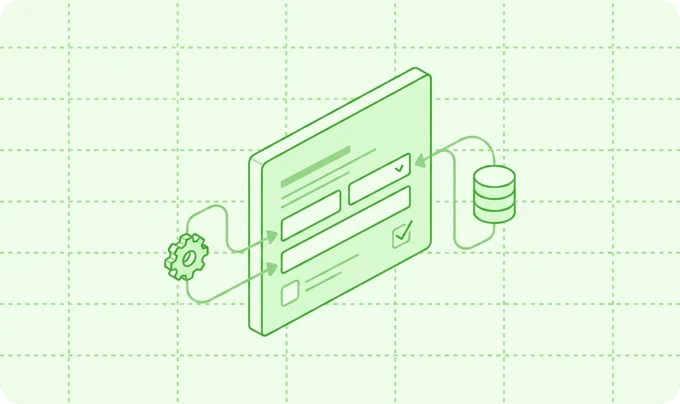
How it fits together
Platform unlockers (reCAPTCHA, Turnstile, Mapbox, Pexels, Stripe) stay Catalog-only — they unlock Studio/fill features, not multi-account CRM feeds.
Stripe exception: payment options live on the Stripe Payment block. Stripe never appears on the form Integrations tab. Ledger: Transactions.
Related: Conditional feeds · Custom integrations · Inbound webhooks
Complete provider catalog
Email marketing & newsletters
Transactional email
CRM & sales
Collaboration, sheets & helpdesk
Security, analytics, media & payments
Recommended setup path
1
Open Integrations
Flex Forms left rail → Integrations (separate from Global Settings).
2
Enable in Catalog
Turn the provider on. For a single shared account you may paste credentials here.
3
Prefer Connections for multi-account
Create a labeled Connection (Production, Sandbox, Client X). Credentials stay encrypted on the Connection.
4
Wire the form feed
Open the form → hub Integrations → enable the provider → pick Connection → map lists/fields → save.
5
Verify delivery
Submit a test fill. Open the submission → delivery ledger → confirm success or use Replay.
Changing the Connection on a feed reloads remote pickers (audiences, channels, sheets) for that account. Scheduled sync keeps those catalogs warm in the background.
Reliability & security (what “enterprise” means here)
Async dispatch
Jobs run after ingest. Queue workers absorb vendor latency; respondents never wait on Salesforce.
Delivery ledger + Replay
Every attempt is recorded. Soft failures (timeouts, 429, 5xx) can be retried; permanent 4xx stay failed for intentional Replay.
Circuit breaker
Repeated failures open a breaker per integration / Connection so one bad account does not flood the queue.
Outbound HTTP hygiene
Shared client: explicit timeouts, connect timeout, retries on transient errors, no redirects (SSRF), consistent User-Agent.
Encrypted credentials
Connection secrets use encrypted casts. Catalog secrets are redacted in Studio responses.
Conditional feeds
Send only when answers match rules — see Conditional feeds.
Timeouts vs intervals (why both exist)
Timeouts are not a substitute for async jobs, and intervals are not HTTP timeouts — they solve different failure modes.
Build your own
Need a provider that is not listed? Register a custom driver with the same FieldMapper, Connections, delivery ledger, and circuit breaker as shipped integrations.Creating integrations
Discover drivers from
app/FlexForms/Integrations and ship first-party quality feeds.Field mapping
Transform and nest payloads with FieldMapper.
OAuth tokens
Encrypted Connections, refresh locks, reconnect.
SDK helpers
GraphQL client, device-code OAuth, SAML assertion consumer.
Inbound webhooks
SupportsInboundWebhooks + idempotency ledger.Events & hooks
Listen after ingest, publish, and deliveries.